Taxonomies
Understand the basics
Taxonomies serve as a flexible and unified system for classifying and organizing content across the platform.
| They replace the previous classification systems, such as Categories, Scopes, and Areas, providing a more streamlined approach to content organization. |
Administrators can define various taxonomies (for example, territorial scopes, thematic areas) and apply them consistently across different participation spaces and components.
Configuration
Manage taxonomies
To manage taxonomies, navigate to the Settings section in the administration panel and select Taxonomies. Here, you can create, edit, and organize taxonomies as needed.
Create a new taxonomy
-
Click on the New Taxonomy button.
-
Enter the name of the taxonomy (for example, "Geographic Scope" or "Thematic Area").
-
Click Create taxonomy to create the taxonomy.
Organize taxonomy items
Within each taxonomy, you can define items and organize them hierarchically:
-
Select the taxonomy you wish to manage.
-
Click on Edit taxonomy & Items to create a new taxonomy item.
-
Click on the New item button, enter the name of the item and, if applicable, select a parent item to establish a hierarchical relationship.
-
Use the drag-and-drop functionality to reorder items as desired.
Create taxonomy filters
You can create filters with all or some taxonomy items that will be used to classify and filter participation spaces and components:
-
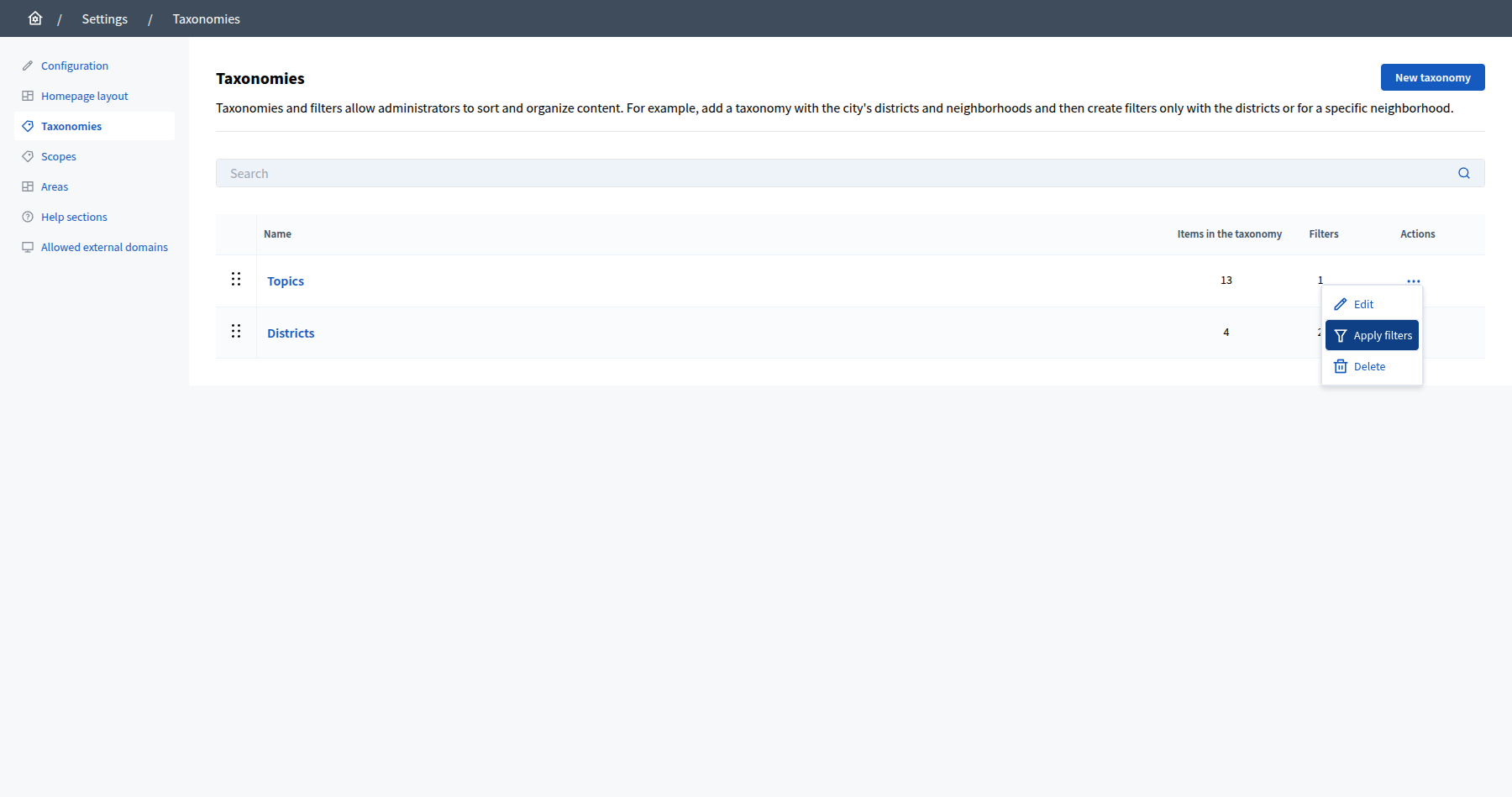
From the Actions menu, click on Apply filters to create or see the existing filters of a taxonomy.
-
Click on the New filter button, enter the label of the filter, that is the title that will be displayed in the frontend, and select which items are available for that filter. You can select only parents or only children.
Associate taxonomies with participation spaces
You can use taxonomy filters to classify the participation spaces.
-
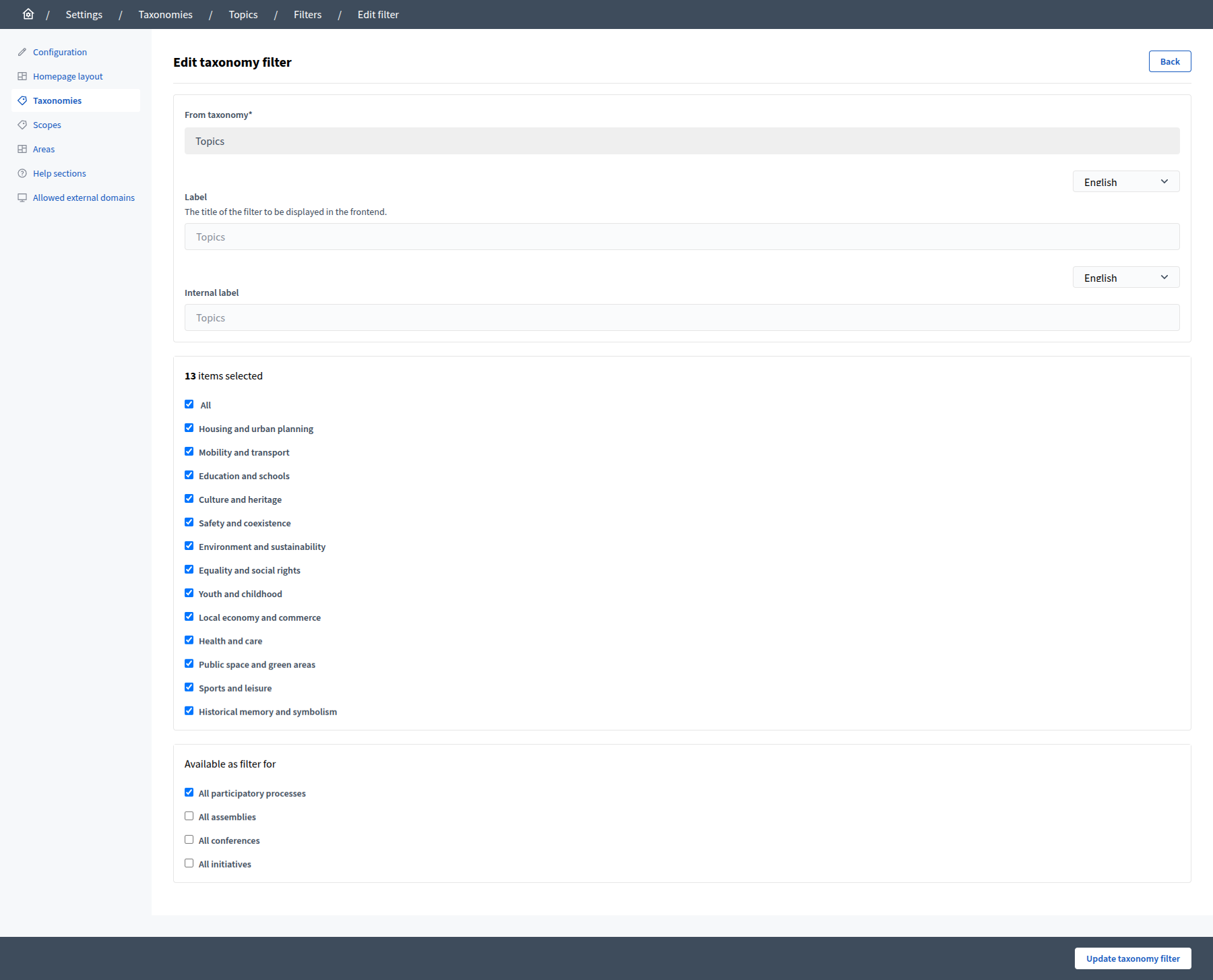
When creating or updating a taxonomy filter, select which spaces that filter should be available for:
-
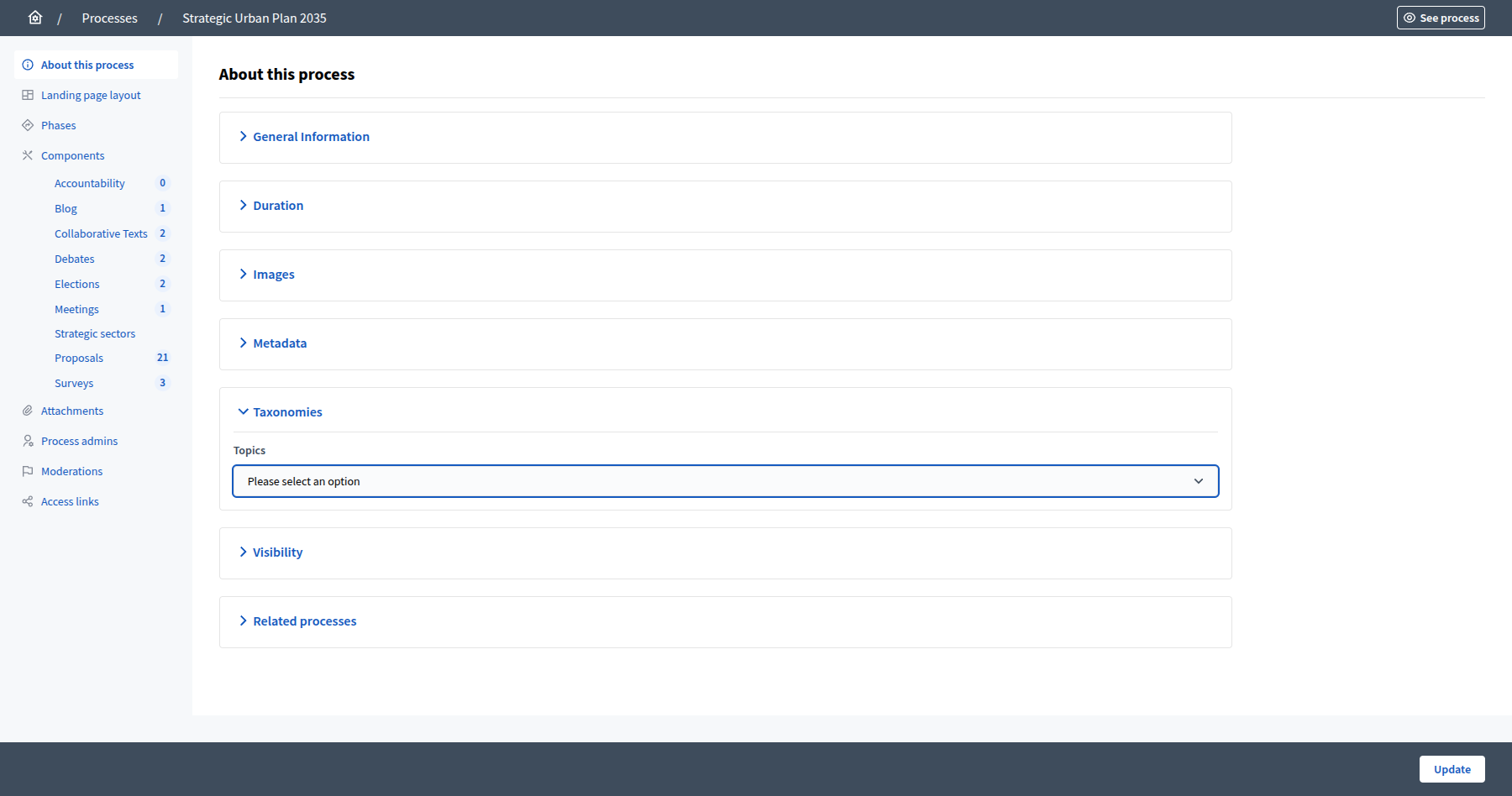
When editing a participation space configuration, select the taxonomy item associated to:
-
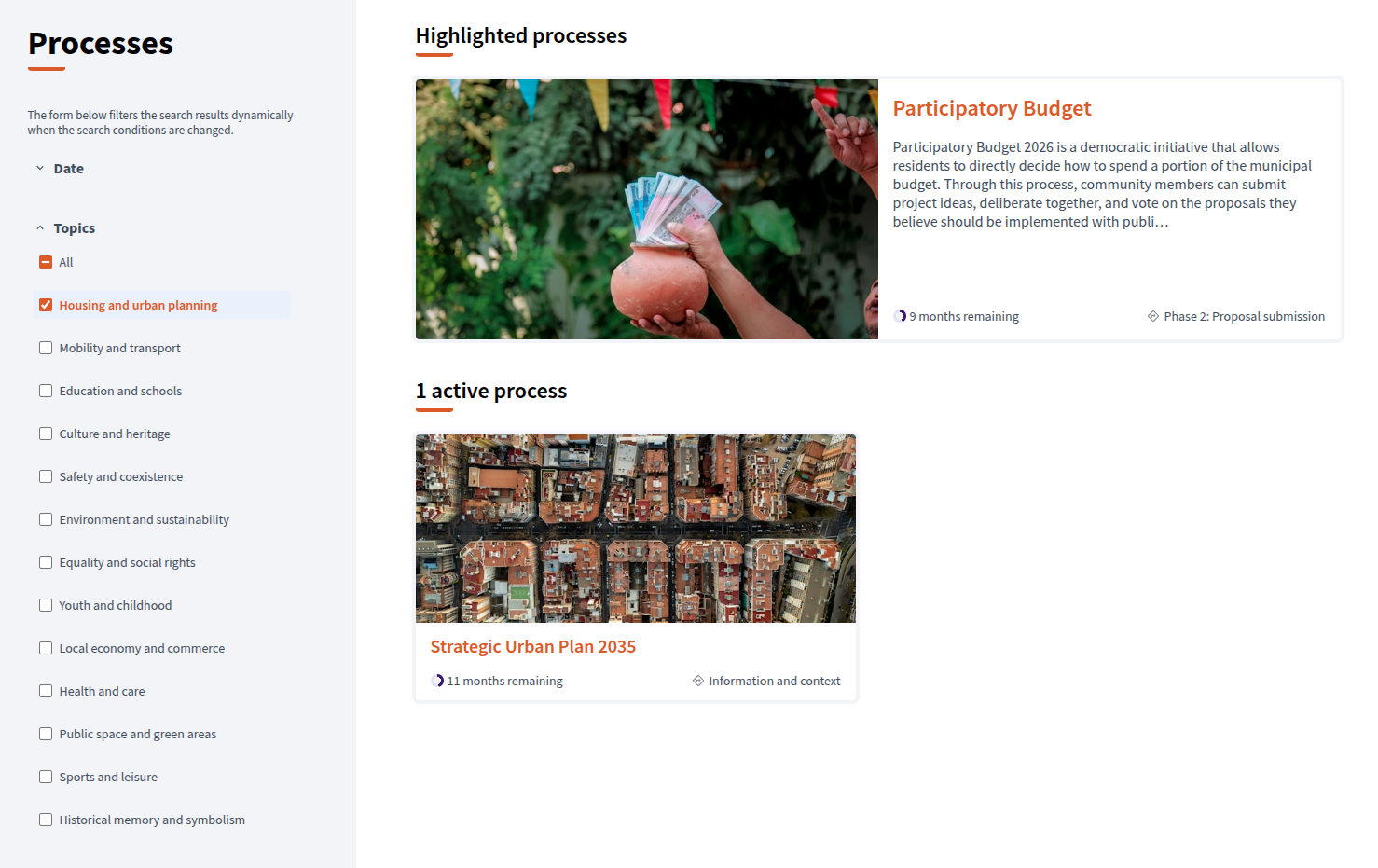
Use the filters to navigate the participation spaces
Associate taxonomies with components
Taxonomy filters can also be associated with components to facilitate content classification:
-
Navigate to the component’s configuration.
-
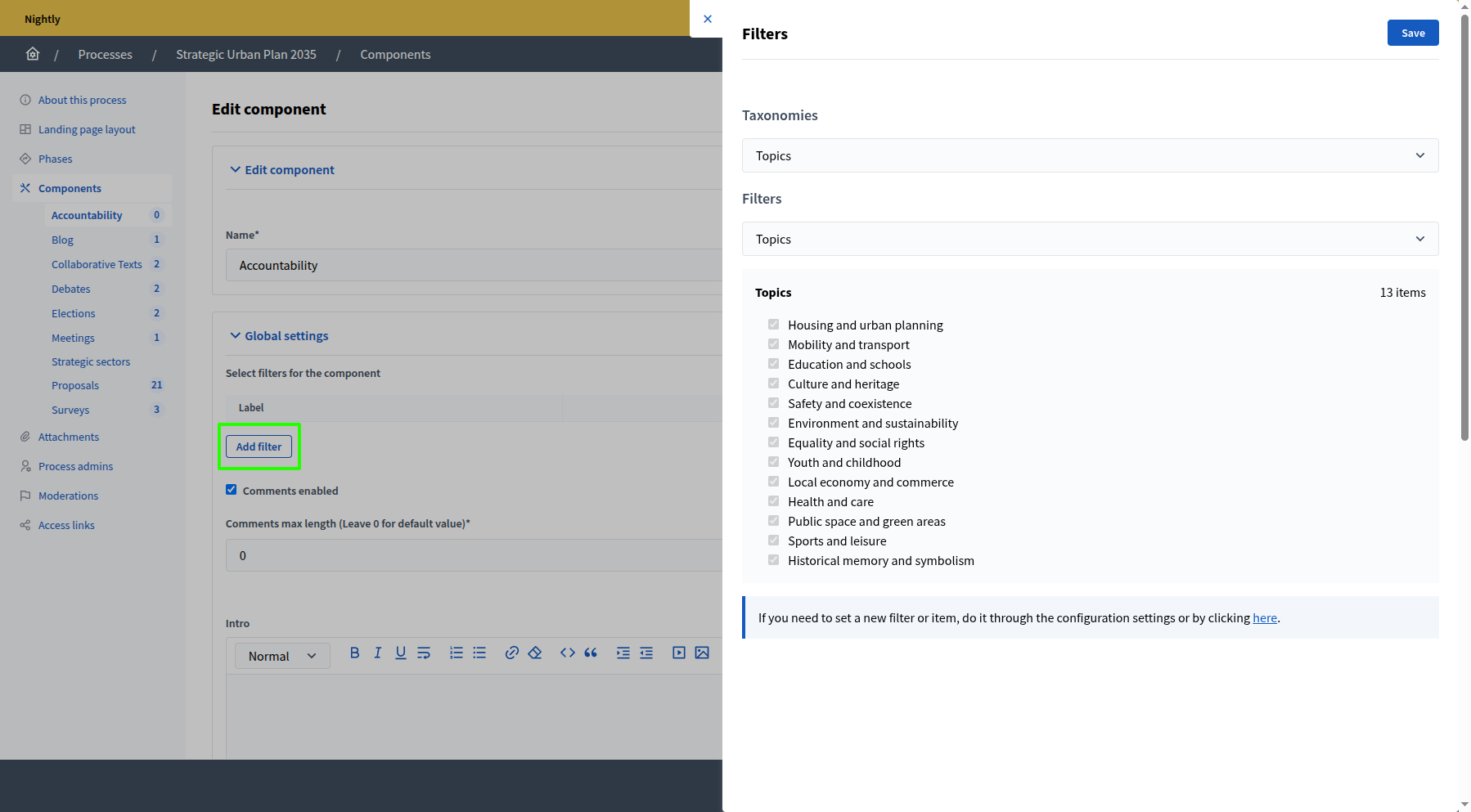
Click on Add Filter.
-
Choose the appropriate taxonomy and select the desired filter.
-
Save the changes to enable the filter for the component.